
Introduction: The Illusion of the Private Room
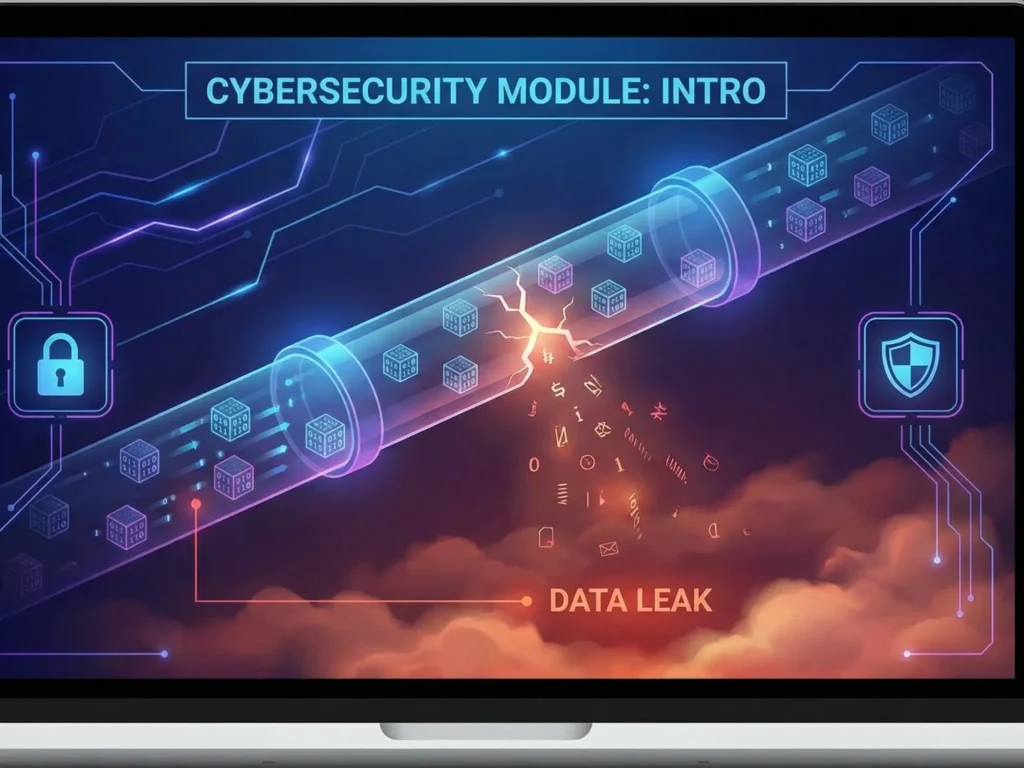
Imagine you are sitting in your living room. The curtains are drawn, the door is locked, and you are having a private conversation with your bank. You feel safe. You feel unobserved.
Now, imagine that the walls of your house are actually made of clear glass. And not just glass—but glass that amplifies sound. Every word you speak, every document you sign, and every photo you look at is visible to anyone walking by on the street.
This is exactly how the Internet works by default.
We tend to think of the Internet as a cloud—a magical, abstract place where data teleports from our phone to a server. In reality, the Internet is a physical machine. It is a tangible web of copper cables, fiber optics, and blinking routers owned by private companies, governments, and potentially malicious actors.
When you send a message or open a website, your data doesn’t teleport. It travels. It hops through 10, 20, or even 50 different devices before it reaches its destination. And at every single one of those “hops,” your digital life is vulnerable.
In this comprehensive guide, we are going to strip away the user-friendly interface of your browser and look at the raw plumbing of the Internet. We will explore the mathematical protocols that govern data transmission, explain why the system was designed to be “leaky,” and show you exactly how to patch the holes.
Part 1: The Architecture of the Web (The Postal Service Analogy)
To understand how hackers steal data, you must first understand how data moves. The Internet relies on a suite of protocols known as TCP/IP (Transmission Control Protocol / Internet Protocol).
The best way to visualize this is through the Postal Service Analogy.
1. The Packet (The Letter)
When you send an email or upload a photo, your computer doesn’t send the whole file at once. That would clog the line. Instead, it chops the data into thousands of tiny pieces called Packets.
Think of a packet as a standard envelope. Every packet has two main parts:
- The Header (The Envelope Exterior): This contains the metadata. Who sent it (Source IP)? Where is it going (Destination IP)? How many packets are in the sequence?
- The Payload (The Letter Inside): This is your actual content—a piece of your photo, a fragment of your password, or a sentence of your email.
The Vulnerability: By design, the “Postal Service” (the Internet infrastructure) must read the Header to deliver the packet. If you send a letter, the postman has to see the address. Similarly, every router between you and Google must see your IP address and the destination IP.
2. The IP Address (The House Number)
Every device connected to the Internet has an Internet Protocol (IP) address.
- IPv4: The old standard (e.g.,
192.168.1.1). - IPv6: The new standard, longer and more complex (e.g.,
2001:0db8:85a3...).
Your IP address is your digital fingerprint. It tells the world roughly where you are geographically (Geolocation) and who provides your internet connection (ISP).
3. Routers (The Sorting Centers)
Between your laptop and the server hosting this website, there are dozens of routers. These are the sorting centers. They catch a packet, read the Header, look at a massive map called a Routing Table, and throw the packet to the next router.
The Danger: If a hacker controls one of these routers (for example, by setting up a Fake Hotspot in a coffee shop), they become the postman. They can hold your letter up to the light, read the address, and if the envelope is transparent (unencrypted HTTP), they can read the letter inside.
Native Ad Tip: You cannot control the routers your data passes through. But you can control what the data looks like. [NordVPN] puts your letter inside a steel box (encryption) before handing it to the postman.
Part 2: The OSI Model (A Deep Dive into Theory)
Cybersecurity professionals use a conceptual framework called the OSI Model (Open Systems Interconnection) to understand how networks operate. It consists of 7 layers.
If you want to understand hacking, you need to care about Layers 3, 4, and 7.
Layer 3: The Network Layer (Where you get tracked)
This is where IP (Internet Protocol) lives. The job of this layer is logical addressing and routing.
- What’s visible here: Your Source IP and Destination IP.
- The Threat: Even if you encrypt your data, Layer 3 must remain visible so the internet knows where to send the data. This is why your Internet Service Provider (ISP) knows exactly which websites you visit, even if they can’t read the content of those visits. They sell this metadata to advertisers.
Layer 4: The Transport Layer (TCP vs. UDP)
This layer decides how data is sent. There are two main protocols here:
- TCP (Transmission Control Protocol): The reliable perfectionist.
- How it works: It establishes a connection before sending data. If a packet is lost, TCP resends it. It guarantees that the file arrives perfectly intact.
- Use case: Loading websites, sending emails, banking.
- UDP (User Datagram Protocol): The speed demon.
- How it works: It fires packets as fast as possible without checking if they arrived. It creates a “fire hose” of data.
- Use case: Streaming video, online gaming, VoIP calls (Zoom). If you drop a packet in a video call, the screen glitches for a millisecond, but the call goes on.
The “Handshake” Vulnerability:
Before TCP sends data, it performs a 3-Way Handshake:
- SYN: Your computer says “Hello, I want to talk.”
- SYN-ACK: The server says “Hello received. I am ready.”
- ACK: Your computer says “Okay, sending data now.”
Hackers love this. In a DoS (Denial of Service) attack, a hacker sends millions of “SYN” (Hello) requests but never answers the “SYN-ACK”. The server sits there waiting for a reply that never comes, eventually crashing under the load.
Layer 7: The Application Layer (What you see)
This is HTTP (HyperText Transfer Protocol), DNS, and FTP. This is the layer where your web browser operates.
- The Threat: This is where Packet Sniffing happens. If you are using plain HTTP, a hacker using a tool like Wireshark can capture the packets at Layer 7 and reassemble them into readable text.
Part 3: Why the Internet is “Leaky” by Definition
The Internet was born in the 1960s (as ARPANET). It was designed by the military and universities to connect trusted computers. Security was not a priority; connectivity was.
Because of this legacy, the default state of the internet is “promiscuous.” Devices are designed to be chatty and trusting.
1. The “Promiscuous Mode” Problem
Network cards in computers usually only pay attention to traffic addressed to them. However, a network card can be switched into Promiscuous Mode.
In this mode, the card listens to everything passing through the wire or the airwaves.
In a coffee shop, your data is transmitted via radio waves. These waves don’t stop at your computer; they bounce around the room. A hacker sitting in the corner with a laptop in “Promiscuous Mode” acts like a radio receiver, tuning into your frequency and recording everything you transmit.
2. The DNS Leak
When you type facebook.com into your browser, computers don’t understand that name. They need an IP address (like 157.240.229.35).
Your computer asks a DNS Server (usually owned by your ISP): “Where is facebook.com?”
The DNS Server replies with the IP.
The Leak: Even if you use a secure connection to the website, your request to the DNS server is often unencrypted text. Anyone listening on the line knows exactly what sites you are visiting.
Part 4: The Evolution of Encryption (The Shield)
So, if the infrastructure is inherently insecure, how do we survive? We use Mathematics. specifically, Cryptography.
Symmetric Encryption (The Fast Lock)
Imagine a safe box with a key. You put a message in, lock it, and send the box to your friend. Your friend uses the same key to open it.
- The Standard: AES-256 (Advanced Encryption Standard).
- How strong is it? 256-bit means there are $2^{256}$ possible key combinations. That is a number larger than the number of atoms in the known universe. To crack AES-256 using “Brute Force” (guessing every key) with the world’s fastest supercomputer would take billions of years.
- The Problem: How do you get the key to your friend without a hacker stealing it on the way?
Asymmetric Encryption (The Mathematical Magic)
This solves the key exchange problem. It involves two keys:
- Public Key: Available to everyone. Used ONLY to encrypt.
- Private Key: Kept secret. Used ONLY to decrypt.
The Analogy: You buy an open padlock and send it to your friend. Anyone can see the padlock. Your friend puts their message in a box and locks it with your padlock. Now, the box is secure. Even your friend can’t reopen it. Only you, with the key that never left your pocket, can open it.
The TLS Handshake (HTTPS)
When you see the Padlock Icon in your browser (HTTPS), your computer and the server are performing a complex dance:
- Asymmetric Encryption is used first to safely exchange a temporary “Session Key.”
- Once both sides have the Session Key, they switch to Symmetric Encryption (AES) because it is much faster for transmitting data.
Why isn’t HTTPS enough?
HTTPS protects the content of your data (your password, your credit card number). However, it does not hide:
- The Destination IP (The site you are visiting).
- The Source IP (Your identity and location).
- The Volume of data (How much you are downloading).
A hacker or ISP can still build a detailed profile of your life just by analyzing where you go and when, even if they can’t see exactly what you are reading.
Part 5: The Ultimate Solution: VPN Tunneling
This is where a Virtual Private Network (VPN) becomes essential. A VPN doesn’t just encrypt the payload; it encapsulates the entire packet.
How Tunneling Works (Encapsulation)
Remember the envelope analogy?
- Normal Internet: You write a letter to Google. You put it in an envelope. The address “To: Google” is written on the outside. The postman (ISP/Hacker) sees it.
- VPN: You write a letter to Google. You put it in an envelope. Then, you put that envelope inside a larger, steel-armored box.
- The address on the steel box is “To: VPN Server”.
- The postman (ISP) sees a heavy box going to a VPN server. They have no idea that inside that box is a letter to Google.
When the box reaches the VPN Server, the server unlocks it, takes out your original letter, and delivers it to Google. Google replies to the VPN Server, which locks the reply in the box and sends it back to you.
Modern Protocols: WireGuard vs. NordLynx
For years, OpenVPN was the standard. It is secure but bloated (400,000+ lines of code) and slow.
Then came WireGuard. It is lean (4,000 lines of code), modern, and incredibly fast. However, WireGuard has a privacy flaw: by default, it stores user IP addresses on the server to maintain connections.
Enter [NordLynx].
This is NordVPN’s proprietary technology built on top of WireGuard. It solves the privacy issue by using a system called Double NAT.
- It creates a multi-layered interface that separates your identity from the tunnel.
- It allows connection speeds that are virtually indistinguishable from your raw internet speed.
- It maintains the mathematical security of modern cryptography (ChaCha20 cipher) while ensuring a strict No-Logs Policy.
Summary: What have we learned?
- The Internet is transparent by default. Routers need to see data headers to move information.
- Public Wi-Fi is a shared radio frequency. Anyone with a $50 antenna can listen to your traffic (Sniffing).
- HTTPS is good, but incomplete. It hides the content but exposes the destination (metadata).
- AES-256 is unbreakable. It is the gold standard of encryption.
- VPNs are the only way to achieve true anonymity. By encapsulating your packets in a tunnel, you hide both the content and the destination from your ISP and local hackers.
What’s Next?
Now that you understand the theory, it’s time to see how hackers exploit these mechanics in the real world.
In the next part of this series, we will stop being theorists and start being practitioners. We will look at the “Evil Twin” Attack—the most common way hackers steal data in coffee shops—and exactly how tools like the Wi-Fi Pineapple make it terrifyingly easy.
[Read Part 2: The Evil Twin Attack Explained]
🛡️ Secure Your Digital Life Today
You don’t need to be a mathematician to use military-grade encryption. You just need the right tool.
NordVPN handles all the complex handshakes, key exchanges, and tunneling protocols in the background. You just click one button.
- Hide your IP address instantly.
- Encrypt your traffic with NordLynx (WireGuard).
- Stop your ISP from tracking your history.
👉 [Exclusive Reader Offer: Get 74% OFF NordVPN + 3 Months FREE]
30-Day Money-Back Guarantee. Try it risk-free.