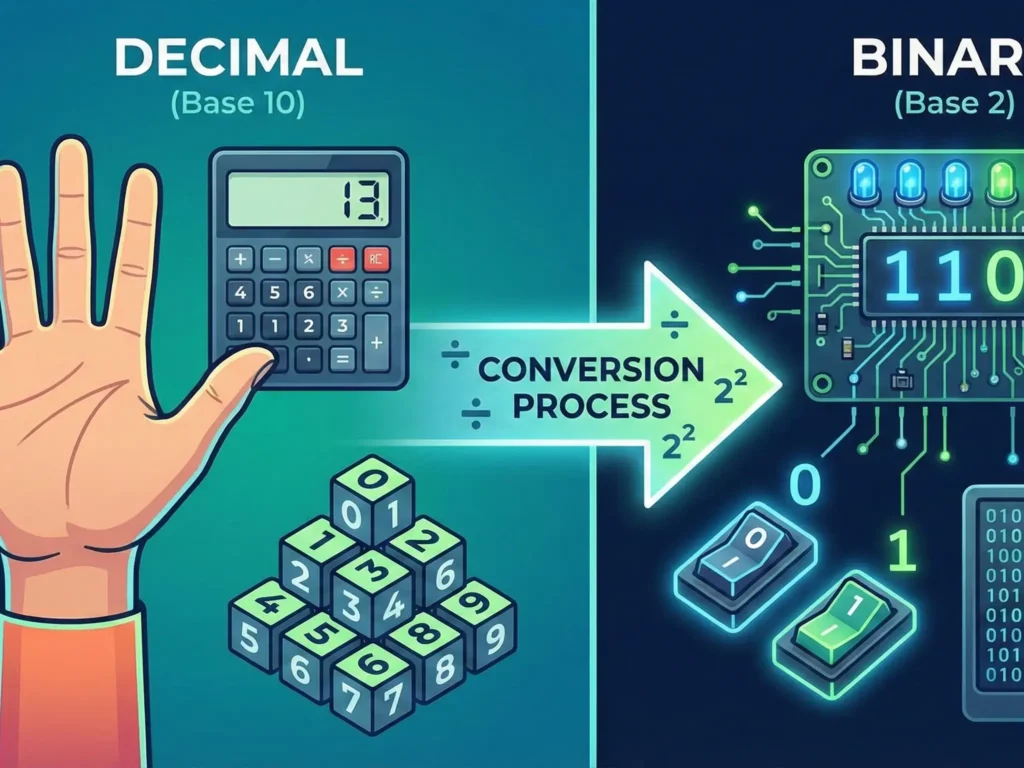
Humans are accustomed to counting in tens because we have ten fingers. Computers “count” with switches (transistors) that have only two states: current flows (1) or current does not flow (0). This article explains how to translate familiar numbers into machine language and how a computer solves the “minus” sign problem without having a special symbol for it.
1. The Basics: Positional Number Systems
Any positional number system (decimal, binary, hexadecimal) is built on the formula of decomposing a number by powers of the system’s base.
If b is the base, and a is the digit at a specific position, then the number N is written as:
$$N = a_n \cdot b^n + … + a_1 \cdot b^1 + a_0 \cdot b^0$$
Decimal (Human-readable)
The number 13:
$$1 \cdot 10^1 + 3 \cdot 10^0 = 10 + 3 = 13$$
Binary (Machine-readable)
The number 1101 (in binary):
$$1 \cdot 2^3 + 1 \cdot 2^2 + 0 \cdot 2^1 + 1 \cdot 2^0 = 8 + 4 + 0 + 1 = 13$$
2. Converting Decimal to Binary (Integers)
To convert a whole decimal number to binary, we use the sequential division by 2 algorithm. We divide the number by 2 and record the remainder until the quotient becomes zero.
Example: Let’s convert the number 25 to binary.
| Step | Division | Quotient (Integer) | Remainder |
|---|---|---|---|
| 1 | $$25 / 2$$ | 12 | 1 (Least Significant Bit – LSB) |
| 2 | $$12 / 2$$ | 6 | 0 |
| 3 | $$6 / 2$$ | 3 | 0 |
| 4 | $$3 / 2$$ | 1 | 1 |
| 5 | $$1 / 2$$ | 0 | 1 (Most Significant Bit – MSB) |
Result: Write the remainders from bottom to top (from last to first): 11001.
Check: $$16 + 8 + 0 + 0 + 1 = 25$$. Correct.
3. How the Computer Sees “Minus”: Encoding Negative Numbers
The computer has no “minus” key. Memory stores only zeros and ones. Therefore, to indicate the sign of a number, the Most Significant Bit (MSB) (the leftmost bit) is allocated.
0 at the beginning means plus (+).
1 at the beginning means minus (-).
There are three main methods for recording negative numbers. Let’s look at them using an 8-bit system (1 byte) as an example.
A. Sign-Magnitude (Direct Code)
The simplest method. The MSB is the sign, the other 7 bits are the number itself (magnitude).
+5 in binary: 0000 0101
-5 in binary: 1000 0101 (only the first bit changed)
Drawbacks:
1. Complex arithmetic (the processor must analyze the sign before adding).
2. Double Zero: There is “+0” (00000000) and “-0” (10000000), which is mathematically incorrect and wastes memory.
B. One’s Complement
To get a negative number, we simply invert all bits of the positive number (swap 0 for 1, and 1 for 0).
+5: 0000 0101
Inversion (-5): 1111 1010
Drawback: The “double zero” problem still remains (inversion of 00000000 gives 11111111 — negative zero).
C. Two’s Complement — Industry Standard
This is the method used by all modern computers. It solves the double zero problem and allows subtraction to be replaced by addition.
Algorithm for getting a negative number (Two’s Complement):
1. Write the number in binary (Sign-Magnitude).
2. Invert all bits (get One’s Complement).
3. Add 1 to the result.
Practical Example: Let’s get -5 (in 8 bits)
1. Direct code of 5:
0000 0101
2. Inversion (Flip):
1111 1010
3. Add 1:
1111 1010
+ 1
---------
1111 1011
Result: The number -5 looks like 1111 1011 in computer memory.
4. Why is Two’s Complement Genius?
Let’s try to add +5 and -5 (the result should be 0).
  0000 0101  (This is +5)
+ 1111 1011  (This is -5 in Two's Complement)
-----------
1 0000 0000
We got 9 bits (1 0000 0000). Since we are working in an 8-bit system, the leading one (overflow) simply disappears.
Remains: 0000 0000 (Zero).
The math works perfectly without extra circuits for subtraction!
5. Value Range Table
It is important to understand that when using a sign bit, the range of positive numbers is halved.
| Bit Count | Unsigned | Signed (Two’s Complement) |
|---|---|---|
| 8 bit (byte) | $$0 \dots 255$$ | $$-128 \dots +127$$ |
| 16 bit (short) | $$0 \dots 65,535$$ | $$-32,768 \dots +32,767$$ |
| 32 bit (int) | $$0 \dots 4.29 \times 10^9$$ | $$-2.14 \times 10^9 \dots +2.14 \times 10^9$$ |
Why -128, and not -127?
In 8-bit code, “minus zero” disappeared, and that combination (1000 0000) is used to extend the range in the “minus” direction. Therefore, in IT, the range of signed numbers is always asymmetrical: there is one more negative number.
6. Hexadecimal System (HEX): Reading Binary Code with Human Eyes
Reading long strings like 110101111010 is extremely difficult for humans. Therefore, IT uses the hexadecimal system, which works like an “archive” for binary.
The main secret: One HEX digit = Four BIN digits (4 bits).
Why 16?
A group of 4 bits (called a nibble) has exactly 16 combinations (from 0000 to 1111). Since there are only 10 Arabic numerals (0-9), we borrowed letters from the Latin alphabet for the remaining 6 values: A, B, C, D, E, F.
| Decimal | Binary (4 bits) | Hex |
|---|---|---|
| 0 | 0000 | 0 |
| 1 | 0001 | 1 |
| … | … | … |
| 9 | 1001 | 9 |
| 10 | 1010 | A |
| 11 | 1011 | B |
| 12 | 1100 | C |
| 13 | 1101 | D |
| 14 | 1110 | E |
| 15 | 1111 | F |
How to Convert (Grouping Method)
Suppose we have the number: 11010101110.
Step 1. Break it into groups of 4 bits from right to left.
If there are not enough digits on the left, add zeros.
0110 | 1010 | 1110
Step 2. Replace each group with a HEX symbol from the table.
0110 = 6
1010 = 10 = A
1110 = 14 = E
Result: 6AE (in programming, it is often written as 0x6AE, where the 0x prefix means hex).
Real-life example: Colors in web design. #FF5733 is three bytes. Red FF (255), Green 57 (87), Blue 33 (51).
7. Floating Point Numbers (IEEE 754): Fractions in Memory
Integers are simple. But how do you write the number 3.14 or 0.00005 with only zeros and ones? You can’t just put a “dot” in memory. Computers use scientific notation based on the IEEE 754 Standard.
Recall physics: the number 12300 can be written as $$1.23 \times 10^4$$. The computer does the same, but in binary:
$$(-1)^{\text{sign}} \times 1.\text{mantissa} \times 2^{\text{exponent}}$$
This standard is called IEEE 754. Let’s look at the most popular format — float (32 bits).
The entire 32-bit space is divided into three parts:
1. Sign Bit (1 bit):
0 — positive number.
1 — negative number.
2. Exponent (8 bits):
Determines how much we “shift” the decimal point. A “bias” is used here. For 32-bit numbers, 127 is subtracted from the actual exponent.
3. Mantissa (Fraction, 23 bits):
These are the actual digits of our number (what comes after the decimal point).
Trick: Since in binary “scientific” form the number always starts with one (e.g., $$1.011…$$), this first one is not recorded to save 1 bit of memory. It is “implied”.
Why do computers make mistakes in math?
You may have seen that in JavaScript or Python 0.1 + 0.2 sometimes equals 0.30000000000000004.
This happens precisely because of the IEEE 754 format. Some numbers (like 0.5 or 0.25) translate perfectly into binary fractions (1/2, 1/4). But the number 0.1 (1/10) in binary is an infinite repeating fraction (like 1/3 in decimal — 0.3333…).
$$0.1_{10} = 0.0001100110011…_2$$
The mantissa has only 23 bits. The computer is forced to “cut off” this tail, losing a tiny fraction of precision. During addition, these micro-errors accumulate and become noticeable.
8. The Way Back: Decoding Binary Numbers
The ability to translate “ones and zeros” back into understandable formats is a key skill when debugging programs.
A. From Binary to Decimal (BIN → DEC)
The essence of conversion is to sum up the “weight” of each one. Each bit position has its own weight, equal to two raised to a certain power (starting from $$2^0$$ on the right).
Algorithm:
1. Write down the binary number.
2. Above each bit (from right to left), write the power of two: 1, 2, 4, 8, 16, 32, etc.
3. Where there is a 0, count nothing.
4. Where there is a 1, add the corresponding number to the total sum.
Example: Let’s convert 10010110 to decimal.
| Power of 2 | $$2^7$$ | $$2^6$$ | $$2^5$$ | $$2^4$$ | $$2^3$$ | $$2^2$$ | $$2^1$$ | $$2^0$$ |
|---|---|---|---|---|---|---|---|---|
| Position Weight | 128 | 64 | 32 | 16 | 8 | 4 | 2 | 1 |
| Binary Number | 1 | 0 | 0 | 1 | 0 | 1 | 1 | 0 |
Calculation: Take only those weights under which there are ones:
$$128 + 16 + 4 + 2 = 150$$
Result: $$10010110_2 = 150_{10}$$
Quick Calculation Hack: Memorize the “magic series”: 1, 2, 4, 8, 16, 32, 64, 128. Simply add the numbers from this series where you see a one.
B. From Binary to Hexadecimal (BIN → HEX)
This is the easiest conversion since these systems are “relatives”. No need to divide or multiply on a calculator.
Algorithm (Notebook Method):
1. Break the binary string into groups of 4 bits (nibbles) starting from right to left.
2. If the leftmost group has fewer than 4 digits, add zeros to the front.
3. Replace each group with the corresponding HEX digit.
Example: Let’s convert 11101000101 to HEX.
Step 1. Split into groups (right to left):
...111 | 0100 | 0101
Step 2. Add leading zeros:
0111 | 0100 | 0101
Step 3. Convert each group separately:
Use the “8-4-2-1” method (sum of weights inside one nibble):
Group 1 (0111): $$0\cdot8 + 1\cdot4 + 1\cdot2 + 1\cdot1 = 7$$
Group 2 (0100): $$0\cdot8 + 1\cdot4 + 0\cdot2 + 0\cdot1 = 4$$
Group 3 (0101): $$0\cdot8 + 1\cdot4 + 0\cdot2 + 1\cdot1 = 5$$
Result: Combine the digits: 745 (or 0x745).