Why did your vivid logo turn dull on paper?
Compare Corel Draw Graphic design software for beginners, hobbyists and studentsHave you ever spent hours selecting the perfect, “electric” blue color for a design, admiring it on your screen, only to pick up a… muddy purple blob from the print shop? Don’t rush to blame the print shop staff. They are not at fault. Physics is the culprit.
The issue is that your monitor and your printer “speak” different languages. One paints with light, the other with ink. And if you don’t know the translation rules between these languages, the result will always be unpredictable.
Let’s look “under the hood” of color generation and understand why the mathematics of RGB and CMYK is the most crucial knowledge for anyone working with graphics, and how choosing the right version of CorelDRAW affects your wallet.
Key Takeaways:
- Monitors emit light (RGB), while paper absorbs light (CMYK).
- RGB has a much wider color gamut — many screen colors (neon, bright blues) are physically impossible to reproduce with ink.
- Cheap software uses “naive” conversion algorithms, which ruins printing. Professional software uses ICC profiles.
Part 1: CorelDRAW Family Product Comparison
To avoid overpaying for unnecessary features or, conversely, buying a tool unsuitable for the job, we have divided the products based on real user needs.
1. CorelDRAW Graphics Suite (The Flagship)
Who is it for: Professional designers, advertising agencies, print shops, freelancers.
Marketing Hook: “A complete toolkit for making money.”
This is the industry standard. If you plan to send designs to a print shop or earn money through design, this is your only safe choice.
- Key Advantages:
- Cross-platform: Full support for Windows and Mac (optimized for Apple Silicon chips).
- Professional Print: Full control over Pre-press, professional Color Management Engine, and Pantone library support.
- Automation: Support for scripts and macros (VBA) — critical for automating routine tasks.
- Ecosystem: Includes Corel PHOTO-PAINT (powerful Photoshop alternative) and Corel Font Manager.
- AI Features: Raster vectorization (PowerTRACE) using AI yields cleaner lines.
2. CorelDRAW Standard (The Golden Mean)
Who is it for: Enthusiasts, small businesses (DIY advertising), students.
Marketing Hook: “More than just a hobby, but without paying for excess features.”
Ideal for creating web graphics, social media logos, or simple flyers printed on an office printer.
- Limitations (Important to know):
- Windows only.
- Stripped-down color management features (professional offset printing might be difficult to set up).
- No macro support.
- Limited set of export formats.
3. CorelDRAW Essentials (Entry Level)
Who is it for: Beginners, DIY projects, scrapbooking, school presentations.
Marketing Hook: “An easy start in vector graphics.”
- Limitations:
- Minimal toolset “for drawing only.”
- Virtually no CMYK support: The program operates primarily in the RGB space. This means preparing a professional billboard layout here is impossible.
H2: Feature Comparison Table
| Feature | Essentials | Standard | Graphics Suite 🔥 |
|---|---|---|---|
| Purpose | Hobby / Home | Small Business | Pro / Print Shop |
| Platforms | Windows | Windows | Win, Mac, Web, iPad |
| Vector Tools | Basic | Advanced | Complete Set |
| Pro Print (CMYK) | No (Limited) | Basic | Full Control |
| Price (Approx.) | $ | $$ | $$$ (Sub or One-time) |
Part 2: RGB vs. CMYK — Technical Breakdown & Algorithms
This section adds depth to the understanding of the processes. For a lawyer, programmer, or engineer, it is important to understand not just “by eye,” but “how it works under the hood.”
1. RGB (Red, Green, Blue) — Additive Model
This model is used for everything that emits light (monitors, phones, projectors).
- Logic: Black is total darkness (absence of light, a switched-off pixel). White is the maximum intensity of all three color diodes simultaneously.
- Range: Typically 8 bits per channel, giving values from 0 to 255.
- Color Gamut: Wide. Allows displaying very bright, saturated, “neon” colors.
2. CMYK (Cyan, Magenta, Yellow, Key/Black) — Subtractive Model
Used for everything that reflects light (paper, cardboard, banners).
- Logic: We start with a white sheet of paper (which reflects all light). Ink works as a filter that subtracts (absorbs) part of the spectrum.
- Why “K” (Key): Theoretically, mixing Cyan, Magenta, and Yellow ($C+M+Y$) should yield black. However, in practice, due to pigment imperfections, it results in a muddy brown sludge. Therefore, a pure black pigment (Key plate) is added for shadow depth, fine text sharpness, and to save expensive colored inks.
- Color Gamut: Significantly narrower than RGB. Bright blues and greens from the screen fade when printed because paper physically cannot reflect that much light.
Conversion Algorithms ( The Math)
As a technical specialist, you will be interested in seeing the formulas. Below is the so-called “naive” mathematical conversion.
Important: Professional software (CorelDRAW Graphics Suite) uses ICC profiles, which are complex multidimensional Look Up Tables (LUTs) that account for specific paper characteristics. However, the basic physics of the process is described by the following algorithm.
Step 1: RGB Normalization
The values of Red ($R$), Green ($G$), and Blue ($B$) channels from the computer range $[0, 255]$ are converted to the range $[0, 1]$:
$$R’ = \frac{R}{255}, \quad G’ = \frac{G}{255}, \quad B’ = \frac{B}{255}$$
Step 2: Finding the Black Channel (Key)
Black color in printing is determined as the minimum brightness value among the three channels. The logic is simple: the more light there is in the source (RGB), the less ink (CMY) we need to apply.
$$K = 1 – \max(R’, G’, B’)$$
Step 3: Calculating Cyan, Magenta, Yellow
Now we calculate the amount of colored ink. If the color is pure black ($K=1$), then the other inks equal 0 (to avoid wasting ink). Otherwise, we use formulas to remove the black component:
$$C = \frac{(1 – R’ – K)}{(1 – K)}$$
$$M = \frac{(1 – G’ – K)}{(1 – K)}$$
$$Y = \frac{(1 – B’ – K)}{(1 – K)}$$
The resulting values are multiplied by $100$ to get the fill percentages familiar to designers.
Why Is This Important When Choosing Software?
When a user buys CorelDRAW Essentials or uses free online editors, they often do not get tools to manage this math. “Naive” conversion leads to two problems:

- Muddy Colors: Without ICC profiles, bright shades are simply “clipped” to the nearest dull analog.
- Rich Black issues (Registration Black): Text that should be crisp black ($0,0,0,100$) turns into a “mix” ($75,68,67,90$). During printing, the slightest paper shift will cause a colored halo (blurring) to appear around the letters.
That is why CorelDRAW Graphics Suite costs more. You are paying for the Color Management Engine, which solves this equation correctly, guaranteeing that the result on paper will match your expectations.
|
|
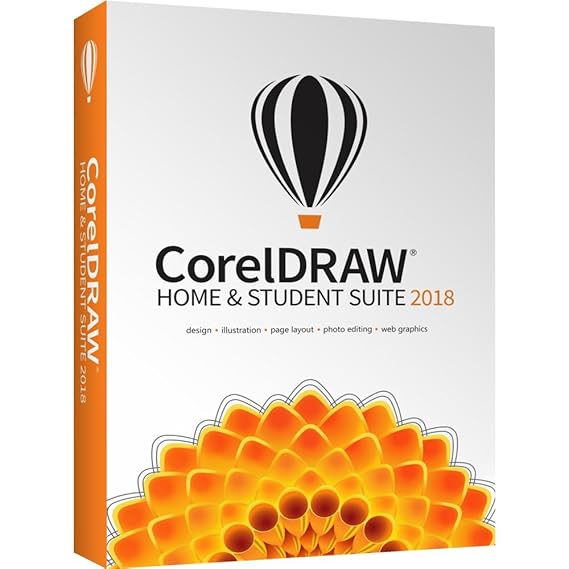
Compare CorelDraw Graphic design software for beginners, hobbyists and students Experience the graphic design advantages of CorelDRAW® at home or at school, featuring tools for layout and tracing, along with the pro photo-editing tools in Corel® PHOTO-PAINT® and Corel® AfterShot™ – all in one affordable suite. Jump right into CorelDRAW Suite with versatile resources and stay on task with the new advanced support for Windows 10, Real-Time Stylus, multi-monitor viewing and 4K displays. Create logos, newsletters, reports, photo projects or social media content with speed, ease and confidence. Buy |
Bądź na bieżąco!
Zapisz się, aby nie przegapić nowości na Review Space.
Join Our Newsletter
No spam. Unsubscribe anytime.